Ultimate Block Build VIP Servers and Anti-Grief
How to protect a build when fifteen strangers can join.
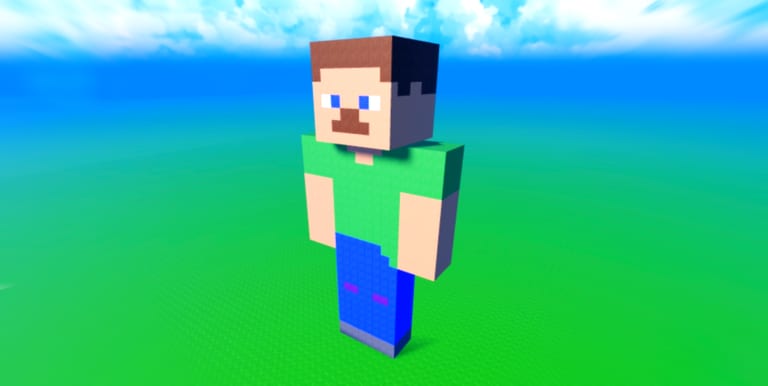
Ultimate Block Build is social by default. Public servers hold up to fifteen players. The description advertises free VIP servers so friends can build and save together. Roblox’s own create-VIP flag for this universe is disabled. Those two facts can live in the same game if the developers shipped an in-experience private flow that is not the Roblox VIP product.
This guide explains what you can rely on: the anti-grief toggle, public-server manners, and the Save Menu as the real backup.
Anti-grief comes first
The store page says your builds are safe and that protection can be toggled in settings. Turn it on before you decorate, not after someone deletes a wall. Protection is for the live server. It does not write a file. If you leave without the Save Menu, anti-grief cannot help you tomorrow.
If a friend cannot edit your plot, you probably left the toggle on. Switch it off for a team session, finish the shared wall, save, then switch it back before you go AFK for a coin tick.
Public servers are the showcase
Load a saved build if you came to show work. Start a new pad if you came to experiment. Do not experiment on a loaded masterpiece unless you just saved. Other avatars will walk your floors. That is the point of a public sandbox, not a bug.
If the server feels crowded, hop — after you save. Fifteen players is small compared with a front-page simulator, but it is enough to bump cameras and ghost blocks. The controls page covers placing around other people.
Friends and the VIP wording
Invite friends through Roblox as you would for any experience. If the game offers an in-experience private or VIP room, use that room for long team builds. Do not expect the Roblox website’s VIP server button to work. When we say VIP on this wiki, we mean the feature the description advertises, not a paid Roblox subscription instance.
Agree on a save owner. One person should hit save so two people do not load different memories of the same house. The save checklist includes a friend step for that reason.
Grief that still happens
Toggles fail when someone is already on your team list, when you built in a shared zone, or when you forgot the setting after a patch. If a plot is wrecked, load your last slot. If you never saved, the Getting Started lesson applies the hard way.
Do not escalate with a loader that deletes other plots. That is how accounts vanish. The script safety page is the only script article you need if you are angry.
When to play alone
Late-night empty servers are good for secret quests and for measuring a roof line. Peak hours are good for inspiration. Both still need anti-grief if you care about the live copy.
Gamepasses do not change protection. Fly Mode lets a griefer move faster if your toggle is off. Door Pack and Flower Pack only add parts. Rank those buys on the gamepass tier list, not as security tools.
Protect the live plot with the setting. Protect the real plot with a save. That pair is the whole defense layer this sandbox ships, and it is enough when you use both.
Frequently Asked Questions
Quick answers to the most common questions.
Can I create a Roblox VIP server for this game?
Roblox VIP server creation is disabled for this universe. Use public servers or any in-experience private flow the developers provide.
Does anti-grief stop my build from vanishing when I leave?
No. Anti-grief is a live-server toggle. Use the Save Menu to keep the house.
How many players are in a public server?
The cap is fifteen. Hop after you save if you want more space.
Should I turn anti-grief off for friends?
Yes, if you want them to edit. Save first, build, save again, then turn protection back on before you idle.